Online Payment

Technician kneeling beside a large outdoor air conditioner unit in a backyard.

The Ice-Man is excited to offer online payments for their customers

Easy Payment Steps for Homeowners

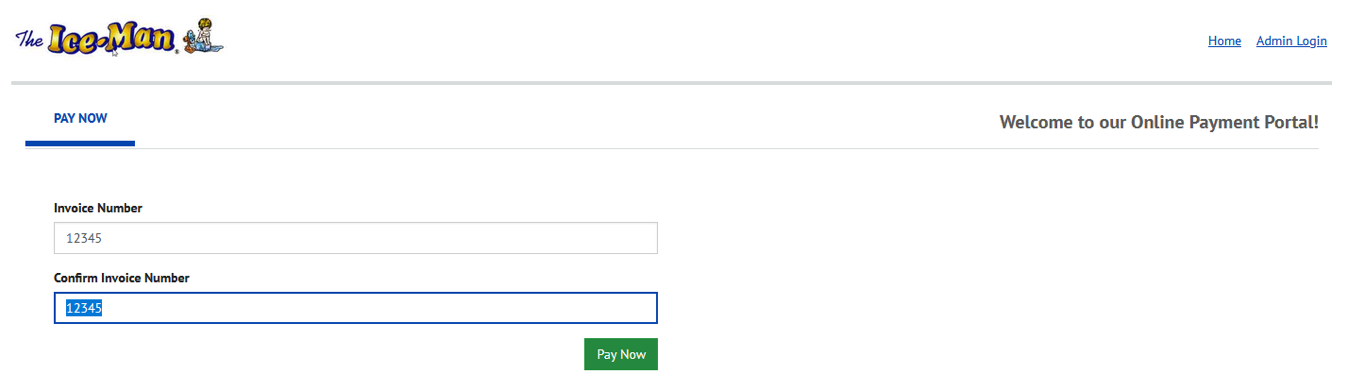
Enter your invoice number in both fields and click 'Pay Now'

Homepage with a search form, text fields, and a green submit button on a mostly white page

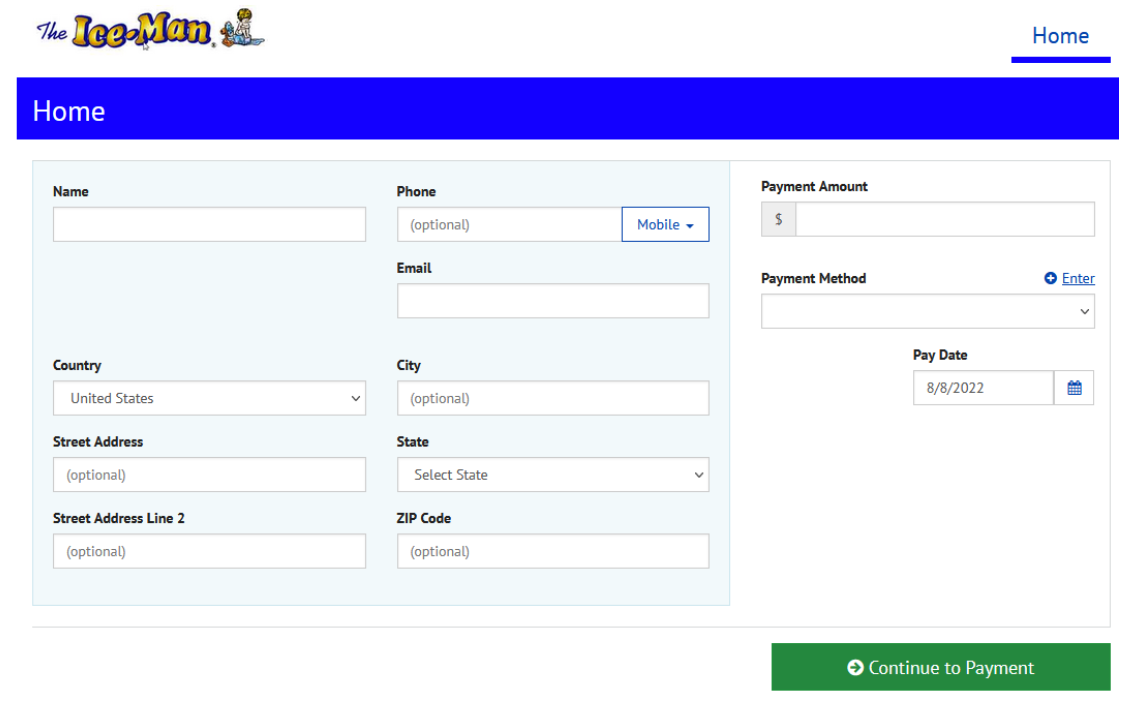
Enter your name, email address, country, street address, city, state and zip code.

Blue-and-white web form for requesting leave or applying, with multiple input fields and a green submit button
Payment form showing amount and method fields with a small edit icon beside Payment Method

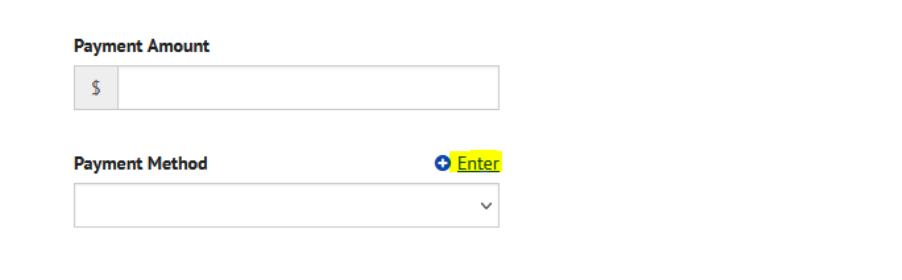
Enter your payment amount. The Payment Method can be accessed by clicking on 'Enter'.

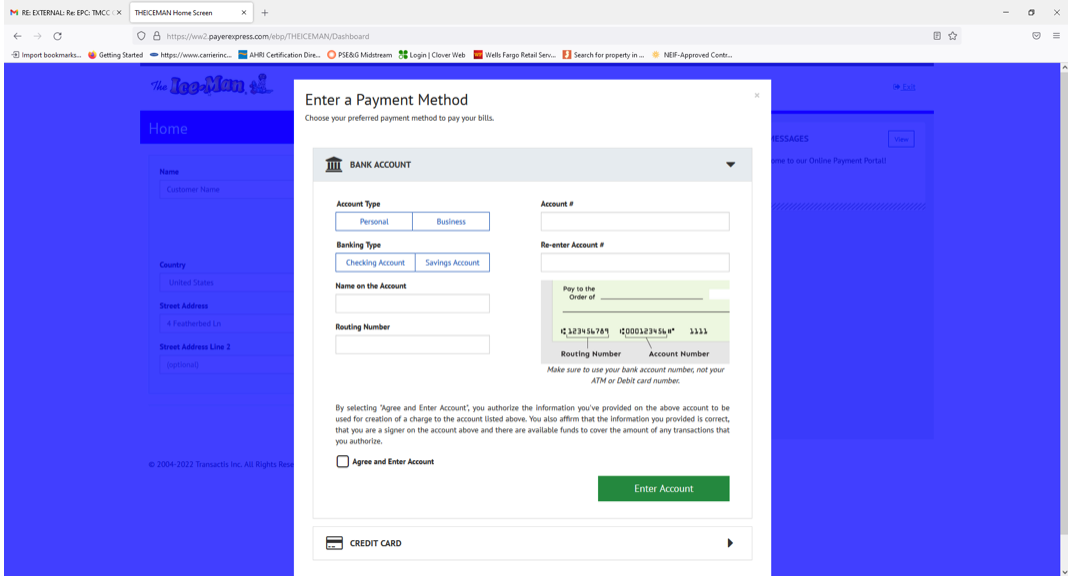
Payment method screen with options for bank account and debit card.

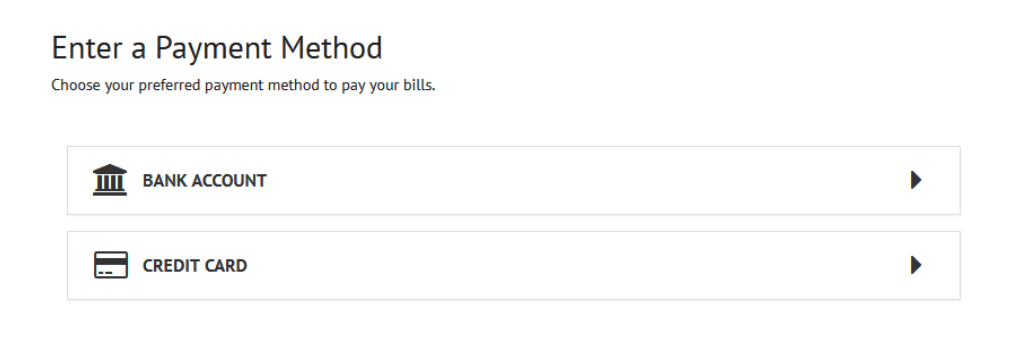
Choose Bank Account (ACH) or Credit Card by either clicking on the words or the chevron on the right.

Enter your payment method information.

Once Payment Method information has been entered, check the box 'Agree and Enter Account'. Click 'Enter Account'.


This will bring you back to screen you started to enter the information. Click 'Continue to Payment'.

This brings you to the 'Verify Payment' screen.
Blue website page with a centered white form dialog and a green submit button
The Ice Man logo above a blue “Verify Payment” header

Please confirm the information you provided is correct, then check the box under 'Additional Information' agreeing to the terms and conditions.

Website page with a green

Click 'Make Payment' to complete the transaction.

With Years Of Dedicated Service In Greater Mercer County and Surrounding Areas

 We're Eager To Assist You With All Your HVAC Needs!